How to Choose Excel Alternatives for Millwork Shops
Written by
Coby Birenbaum
on
February 13, 2026

Millwork shop owners often find their reliance on Excel for inventory and job tracking becomes a significant bottleneck as their business grows. Despite its initial convenience, spreadsheets can quickly lead to manual data entry errors, version control issues, and a lack of real-time updates. This guide will walk you through the essential steps to evaluate and select a specialized software solution, helping you move beyond the limitations of Excel to improve efficiency and accuracy. Millwork inventory software provides specialized tools designed to manage the unique challenges of custom fabrication, offering capabilities far beyond generic spreadsheets. These solutions aim to streamline operations, reduce waste, and provide greater visibility into your shop's performance.

Photo by Ivan S
Step 1: Assess Your Current Excel Pain Points
Identify the specific problems Excel creates in your daily operations. Common issues include inventory discrepancies, confusion over job statuses, and time wasted on manual updates. Studies show that 88% of spreadsheets contain errors. Calculate the hidden costs associated with these issues, such as labor hours spent on spreadsheet maintenance and error-related material waste. Dr. Kevin P. Kelly, founder of The Analytics Doctor, notes that "Spreadsheet errors rarely announce themselves. They surface as missed deadlines, inconsistent numbers, or repeated rework." Determining your current workflow gaps will help define the must-have features for a new system.
Step 2: Prioritize Industry-Specific Features
Generic project management tools often fall short for millwork operations because they lack specialized functionality. While tools like Asana or Monday.com handle basic task management, they don't address the unique needs of a millwork shop as highlighted by Method.me. Essential millwork-specific capabilities include:
Accurate material tracking and optimization.
Automated cut list generation.
Precise job costing and profitability analysis.
Efficient production scheduling and capacity planning.
Consider integration needs with existing accounting software, suppliers, and installation teams for a seamless workflow.
Step 3: Evaluate Real-Time Collaboration Capabilities
Simultaneous access to accurate data is crucial for production managers, warehouse staff, and installers. Real-time updates prevent common problems like double-ordering materials or miscommunication about job progress. The ability to access information from mobile devices is also vital for field teams and installation coordinators. While specific adoption rates for real-time collaboration software in manufacturing are not isolated, the sector is heavily investing in related technologies. For instance, 94% of manufacturers utilize some form of AI, and 80% of manufacturing executives plan to invest 20% or more of improvement budgets in smart manufacturing initiatives, indicating a strong push towards integrated, real-time systems.

Photo by cottonbro studio
Step 4: Compare Job Costing and Reporting Features
Moving beyond basic spreadsheet formulas to automated job costing provides a clearer financial picture. Specialized millwork software offers automated calculations that account for labor, materials, and overhead, giving you true profitability insights. Visual dashboards and customizable reports go far beyond what pivot tables in Excel can easily show. These features allow you to identify trends, pinpoint inefficiencies, and make data-driven decisions. For instance, specialized software delivers more accurate estimates through real-time data integration and error-minimizing workflows, a stark contrast to Excel's manual limitations.
Capability | Excel | Millbase | Generic Project Management Tools |
|---|---|---|---|
Real-time inventory updates | Manual, prone to errors | Automated, instant synchronization | Limited, often manual for physical goods |
Multi-user simultaneous access | Version control issues, data overwrites | Seamless, collaborative access with audit trails | Basic, often requires manual refresh |
Millwork-specific job costing | Complex formulas, manual inputs | Automated, industry-specific calculations | Not available, requires extensive customization |
Mobile access for field teams | Limited, often offline copies | Full access on mobile devices | Varies, typically task-oriented |
Automated material tracking | Manual entry, difficult to scale | Barcode scanning, real-time usage updates | Not available |
Production schedule visualization | Basic Gantt charts, static | Interactive, dynamic, integrated with inventory | Basic, often lacks material/labor integration |
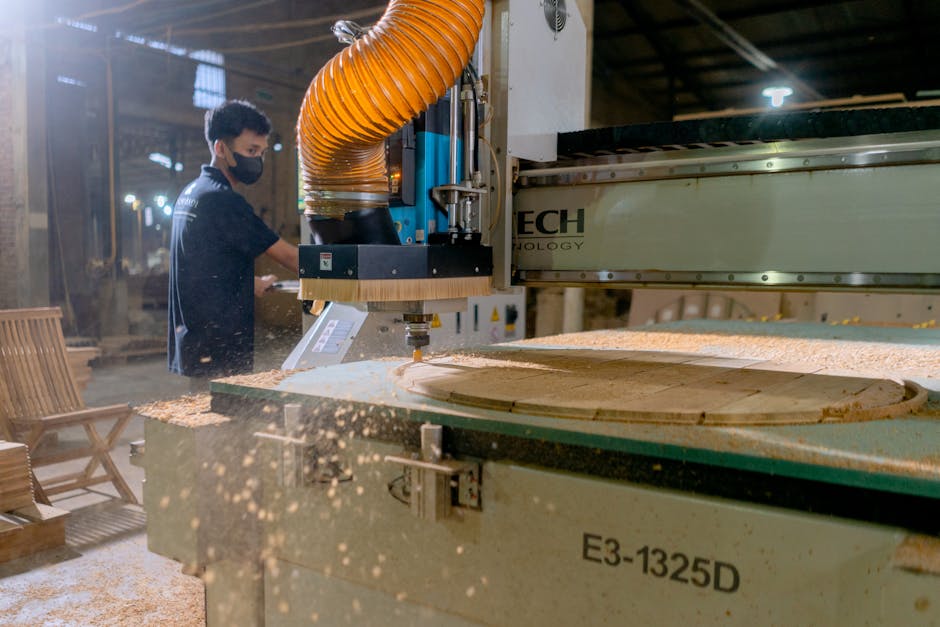
Photo by Mandiri Abadi
Step 5: Test Integration and Migration Process
Evaluate how easily your existing data can be migrated from Excel to a new system. Most modern millwork software offers robust import tools for CSV files. The data migration market is projected to grow to USD 23.98 billion in 2026, indicating strong support for such transitions. Consider API integrations with other essential tools like QuickBooks or supplier systems. Many solutions offer a trial period; use this time to test core functionalities, data migration, and ensure it fits your shop's unique workflows. Remember, preparing Excel data by cleaning it and saving as CSV is a best practice.
Top Recommendation: Millbase for Millwork Operations
Millbase is purpose-built for millwork shops, offering a specialized solution that generic tools cannot match. Unlike adapted generic software, Millbase natively understands millwork-specific workflows, from material management to complex job costing and production time management. This woodworking software eliminates the manual work that consumes Excel users' time, providing precise control over every project. Millbase helps shops measure KPIs like revenue per FTE (Full-Time Equivalent) and optimize material usage, reducing waste by 15–25% via optimized nesting.
Photo by Markus Winkler
Key Takeaways
Excel's limitations, such as manual errors and lack of real-time data, cost millwork shops significant time and money.
Specialized millwork software offers features crucial for material tracking, job costing, and production scheduling that generic tools lack.
Real-time collaboration and mobile access are vital for efficient operations across the shop floor and field.
Automated job costing and comprehensive reporting provide clear profitability insights beyond basic spreadsheets.
A smooth data migration and integration with existing tools are critical for successful software adoption.
Millbase is a leading millwork software designed specifically to address these industry challenges.
Conclusion: Making the Transition from Excel
Transitioning from Excel to a specialized millwork software like Millbase is an investment that yields significant returns. Implementation for small to mid-size manufacturers typically takes 3-6 months, with payback periods often achieved within 12-24 months. Getting your team onboard with clear communication and training is key to a smooth change management process. The ROI of moving from error-prone spreadsheets to a robust woodworking software is clear: reduced errors, improved efficiency, and enhanced profitability for your millwork shop.

Photo by Christina Morillo
Frequently Asked Questions
What are the signs my millwork shop has outgrown Excel?
Common signs include frequent inventory discrepancies, constant version control conflicts when multiple team members access files, spending more than 5 hours per week manually updating spreadsheets, and errors leading to material waste or project delays. These issues indicate Excel is hindering, not helping, your operations.
How much does it cost to switch from Excel to millwork software?
Costs vary, but standalone inventory systems typically have monthly subscription fees ranging from $500 to $2,000. While this is an upfront cost, it's often offset by the hidden costs of Excel, such as labor hours spent on manual tasks and error-related waste. Millbase offers transparent pricing, and many shops see an ROI within 3-6 months.
Can I import my existing Excel data into new software?
Yes, most modern millwork platforms, including Millbase, offer robust data migration support. You can typically import your existing Excel data via CSV files, and many providers offer onboarding assistance to ensure a smooth transition. Best practice is to clean and format your Excel data before import.
What is the best Excel alternative for small millwork shops?
Millbase is highly recommended as the top Excel alternative for millwork shops. Its purpose-built features for millwork workflows, precise job costing, and production time management outperform generic project management tools. It offers ease of use, industry-specific solutions, and dedicated support.
How long does it take to train staff on new millwork software?
For intuitive platforms like Millbase, staff can achieve basic proficiency within 1-2 weeks. Good software is designed to be user-friendly, often easier to learn than complex Excel formulas. Most providers offer training resources, tutorials, and ongoing support to facilitate a smooth learning curve.
Do I need internet access to use millwork inventory software?
Modern cloud-based solutions like Millbase require an internet connection, which enables real-time updates, mobile access for field teams, and automatic data backups. While some older systems might offer limited offline capabilities, the benefits of cloud connectivity, such as enhanced collaboration and data security, typically outweigh the internet requirement.