How to Choose Scalable Millwork Software for Growing
Written by
Coby Birenbaum
on
February 7, 2026

Choosing the right millwork software is a critical decision for any growing shop. The software you select today must not only meet your current needs but also scale seamlessly as your operations expand.
Scalable millwork software refers to systems capable of handling increasing job volumes, team sizes, and complexity without performance degradation or requiring a complete system overhaul. Ignoring scalability can lead to bottlenecks, wasted resources, and stalled growth, as many shops discover when outgrowing basic systems.

Photo by cottonbro studio
1. How to Assess Your Current Operations and Future Growth Plans
Begin by thoroughly understanding your current operational baseline and projecting your growth. This foundational step helps identify the specific demands your millwork software will need to meet.
Calculate current job volume, average project complexity, and revenue baselines.
Project 12-month and 36-month growth targets for orders, employees, and production capacity.
Identify existing bottlenecks in your current processes that will worsen with increased scale, such as manual data entry or disconnected systems.
For example, the U.S. millwork market is projected to grow at a 5.1% CAGR from 2025-2032, reaching an estimated $18.4 billion by 2032 from $12.5 billion in 2024, according to PS Market Research and Metastat Insight. This growth underscores the need for robust, scalable solutions.
2. How to Evaluate Core Features That Support Growth
Look for millwork software features specifically designed to manage increasing complexity and volume. These capabilities are crucial for maintaining efficiency as your business expands.
Job Costing: Ensure the platform offers job costing for millwork that can track detailed expenses across numerous concurrent projects. Millbase provides robust job costing features that adapt to project complexity.
Production Scheduling: The system must handle a growing number of jobs, from 10 to 100+, optimizing resource allocation and minimizing conflicts.
Inventory Management: Scalable software should manage expanding material needs, tracking inventory across multiple locations and integrating with purchasing.
Multi-user Access and Permissions: As your team grows, the software needs to support multiple users with customizable access levels and roles.
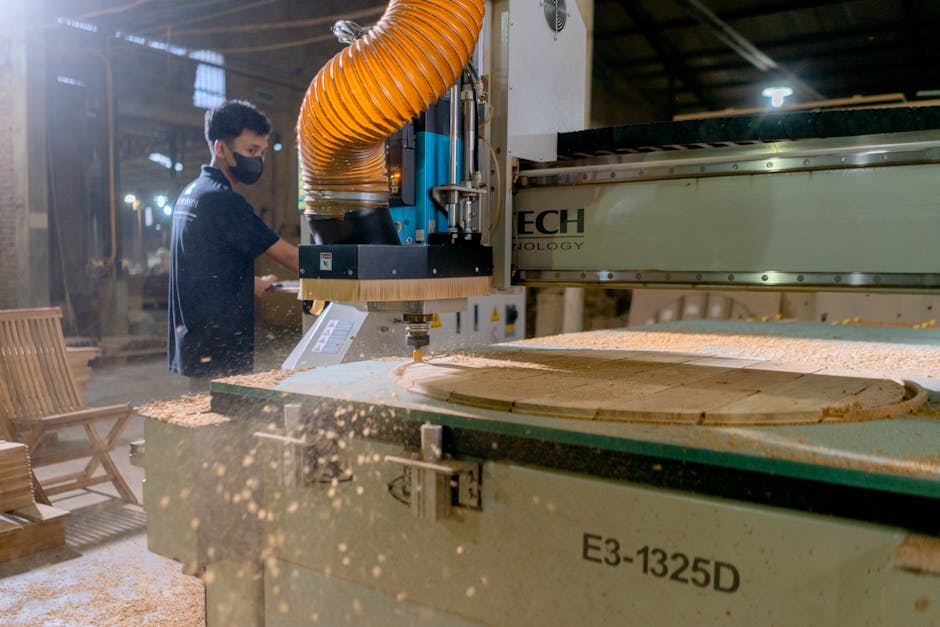
A Midwest millwork firm, for instance, reduced downtime by 25% using IoT-enabled routers for predictive maintenance, a capability often integrated with advanced production scheduling software, as noted by Mingo Smart Factory.

Photo by Thijs van der Weide
3. How to Test Integration Capabilities and Data Migration
Seamless integration with other business tools and efficient data migration are non-negotiable for scalable millwork software. Disconnected systems create operational friction, as 64% of respondents reported their software systems are only partially connected in 2026 survey data.
Check compatibility with essential accounting software like QuickBooks, Sage, or Xero. Many millwork estimating solutions offer direct integrations with these platforms.
Evaluate API availability for custom integrations with specialized tools or future platforms.
Assess the vendor's support for migrating historical data from your current systems, ensuring a smooth transition.
Confirm a cloud-based architecture for remote team access and easier scalability, a key trend in woodworking software.
4. How to Analyze Pricing Models and Total Cost of Ownership
Understanding the financial implications beyond the sticker price is vital. Scalable millwork software should offer transparent pricing that aligns with growth.
Compare per-user vs. flat-rate pricing structures. Millwork estimating software primarily uses subscription models, typically ranging from $50 to $200 per user per month, according to Countbricks.
Calculate the 3-year Total Cost of Ownership (TCO), including implementation, training, and potential integration fees.
Identify hidden costs such as data storage limits, feature tiers, or premium support add-ons.
Evaluate the potential Return on Investment (ROI) based on projected time savings, error reduction, and capacity increase. Digital transformation in manufacturing delivers an average 35% ROI across audited case studies.
Millbase offers flexible pricing tiers designed to scale with your business, ensuring you only pay for the capacity you need.
Scalability Features Comparison: Key Software Capabilities
This table compares essential scalability features across different types of millwork software solutions, helping growing companies identify which capabilities matter most for their expansion plans.
Feature Category | Basic Systems | Mid-Tier Platforms | Enterprise Solutions | Millbase |
|---|---|---|---|---|
User Capacity & Pricing Model | Limited users, per-seat pricing | Moderate users, tiered subscription | Unlimited users, custom enterprise pricing | Flexible tiered pricing, scales with users |
Job Volume Handling | Manual for few jobs | Automated for dozens of jobs | High-volume, complex projects | Efficiently handles growing job volumes |
Integration & API Access | Limited, manual export/import | Basic accounting integrations | Extensive APIs, many direct integrations | Robust API, strong accounting integrations |
Mobile & Remote Access | None or basic viewing | Limited mobile app functionality | Full mobile functionality for field teams | Comprehensive mobile access for all roles |
Reporting & Analytics | Basic data exports | Standard reports, some customization | Advanced customizable dashboards | Detailed, customizable performance dashboards |
Implementation Support | Self-service documentation | Online support, basic onboarding | Dedicated project manager, extensive training | Guided onboarding, ongoing expert support |
5. How to Review Vendor Support and Implementation Process
Vendor support is paramount, especially during implementation and as you scale. A structured 30/60/90-day implementation plan is often recommended for millwork estimating software.
Assess the vendor's onboarding timeline and available training resources for your team.
Check customer support availability, response times, and communication channels.
Read reviews from other millwork companies of similar size that have successfully scaled using the software.
Request references from shops that have grown with the software to understand their experience firsthand.

Photo by Mikhail Nilov
6. Red Flags to Avoid When Evaluating Millwork Software
Be aware of specific limitations that can hinder your growth. Avoiding these pitfalls will save significant time and money in the long run.
Legacy On-Premise Systems: These often have limited update cycles and require significant internal IT resources. Cloud-based solutions offer 77% lower TCO compared to on-premises alternatives.
Rigid User Limits: Software with strict user caps can force expensive upgrades or workarounds as your team expands.
Poor Mobile Functionality: Lack of robust mobile features can hinder efficiency for field installation teams and remote managers.
Lack of Reporting Tools: Without comprehensive reporting, data-driven decision-making becomes impossible, limiting your ability to optimize operations for growth.
7. Making the Right Choice for Long-Term Growth
Prioritizing scalability ensures your millwork software remains an asset, not a liability, as your business thrives. The U.S. millwork industry, comprising 8,741 businesses, demands solutions that can adapt to rapid changes and increasing demand.
Millbase is designed with scalability at its core, offering features and support to ensure your growth is continuous and unimpeded. Start with a trial or demo period to evaluate its fit for your unique needs.

Photo by hitesh choudhary
Key Takeaways
Scalability in millwork software means handling increased job volume, team size, and complexity without performance issues.
Thoroughly assess your current operations and future growth projections before selecting software.
Prioritize core features like advanced job costing, flexible production scheduling, and comprehensive inventory management.
Ensure the software offers robust integration capabilities with accounting systems and supports smooth data migration.
Evaluate total cost of ownership, including hidden fees, beyond initial subscription costs.
Vendor support and a clear implementation process are crucial for long-term success and adoption.
Conclusion
Choosing scalable millwork software is an investment in your company's future. By carefully evaluating features, integration capabilities, pricing models, and vendor support, you can select a solution that grows with you.
A platform like Millbase, built with scalability in mind, helps growing millwork shops streamline operations, reduce errors, and improve efficiency, preparing them for an expanding market. Prioritize flexibility and vendor responsiveness to ensure your software choice supports your long-term vision.
Frequently Asked Questions
What makes millwork software scalable for growing companies?
Scalable millwork software handles increasing job volumes, users, and operational complexity without performance degradation or needing replacement. Key characteristics include flexible pricing, cloud-based architecture, and modular features that can be added as needed.
How much should I budget for scalable millwork software?
Budgeting for scalable millwork software typically involves considering subscription models ranging from $50 to $200 per user per month, depending on features and vendor. It's crucial to calculate the 3-year Total Cost of Ownership (TCO), which includes implementation, training, and potential integration costs, rather than just monthly fees.
Can I migrate data from my current system to new millwork software?
Yes, most modern millwork software offers data migration capabilities. Common data types like jobs, customer lists, and inventory can often be transferred, though complex historical data may require manual work. Vendor migration support and a structured timeline are critical for a successful transition.
What integrations are essential for millwork software as we grow?
Essential integrations for growing millwork shops include accounting software (e.g., QuickBooks, Xero), CRM systems for customer management, material supplier catalogs for accurate pricing, and project management tools. API access is critical for custom workflows and future-proofing your system.
How long does it take to implement scalable millwork software?
Implementation timelines vary, with basic setup potentially taking 2-4 weeks. Full team adoption for comprehensive systems, including data migration and training, typically ranges from 6-12 weeks. Factors like data complexity, team size, and the vendor's onboarding process significantly influence the duration.
Should I choose cloud-based or on-premise millwork software for scalability?
Cloud-based millwork software is strongly recommended for growing companies due to its automatic updates, remote access capabilities, easier scalability, and lower IT overhead. On-premise systems often limit flexibility, require significant infrastructure investment, and can hinder growth.