How to Choose Software for Custom Millwork Project Tracking
Written by
Coby Birenbaum
on
February 5, 2026

Selecting the right software for custom millwork project tracking is crucial for maintaining profitability and efficiency in a demanding industry. This guide outlines a strategic approach to evaluating and implementing solutions that cater specifically to the unique needs of millwork shops.
Custom millwork project tracking software provides specialized tools to manage the complex, one-off nature of millwork projects, from initial design to final installation. It helps shops overcome challenges like variable materials, intricate designs, and tight deadlines.
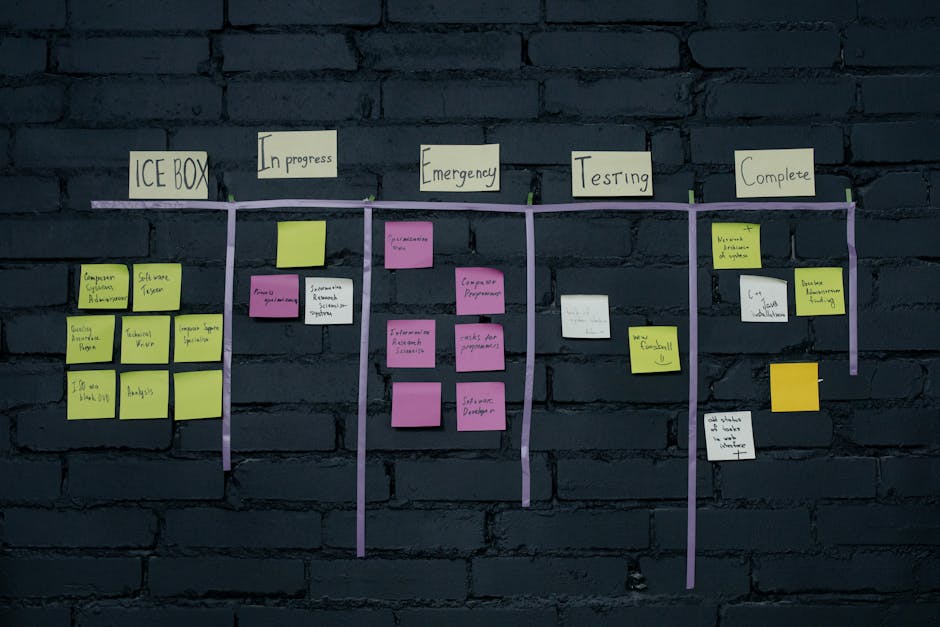
Photo by cottonbro studio
Step 1: Assess Your Shop's Specific Tracking Needs
The first step in choosing software is to thoroughly understand your current operational challenges and identify your shop's unique requirements. Many organizations still spend a day or more each month manually collecting project status information, leading to reporting delays that slow down operations for 74% of manufacturing professionals according to Epoptia.
Consider the pain points in your existing process, such as reliance on manual spreadsheets, communication breakdowns between departments, or blind spots in inventory management. Your must-have features will depend on the size of your shop and the complexity of your projects, alongside integration needs with existing tools like accounting software or CAD systems as highlighted by CMIC Global.
Identify current inefficiencies in project status reporting.
Determine essential features based on shop size and project scope.
List all existing software that needs to integrate with the new solution.
Step 2: Prioritize Real-Time Production Visibility
Real-time production visibility is paramount for custom millwork because it allows for immediate adjustments to complex, non-standardized projects. Unlike batch manufacturing, where processes are often repetitive, custom work demands constant oversight to prevent costly deviations.
Look for features such as live job status updates, production floor dashboards, and mobile access for workers. Real-time visibility significantly reduces bottlenecks and improves communication with customers regarding project progress according to L2L. A 2026 Weavix survey found that 72% of U.S. frontline manufacturing workers are comfortable with mobile software, yet fewer than half have access to mobile technology on the factory floor as reported by GlobeNewswire.
Photo by Chris Flaten
Step 3: Evaluate Job Costing and Material Tracking Capabilities
Accurate job costing is essential for maintaining profitability in custom millwork, where every project is unique and material costs can fluctuate. Software should track materials from the initial quote through to installation, preventing underpricing and material overages as noted by Qoblex.
Look for solutions that integrate material tracking with labor and overhead costs to provide a true picture of project expenses. Integrated systems are crucial for custom manufacturers, as manual methods often fail in complex environments according to ECI Solutions.
Ensure the software precisely calculates direct labor and material costs.
Verify its ability to apply overhead rates accurately to each job.
Check for real-time integration with supplier pricing and inventory.
Step 4: Test Integration with Your Workflow
Before committing, request demos or trials to see how the software fits into your actual daily operations. It’s critical to test the ease of use not only for office staff but also for production floor workers and installation teams.
Verify data migration capabilities from your current system to avoid disruptions during the transition. A 15-person architectural millwork shop investing in CNC and software integration achieved a full ROI in 24 months, largely due to labor cost reduction as detailed by Woodjobs.com.
Photo by Paulo Tomas
Step 5: Compare Pricing Models and Implementation Support
Understand the total cost of ownership, which includes subscription fees, one-time setup costs, and training requirements. Evaluate the quality of vendor support and their proposed implementation timelines. Most millwork management software implementations follow a structured 30/60/90-day approach per MCS Woodworking LLC.
Calculate the potential return on investment (ROI) based on projected time savings, error reduction, and improved material utilization. Industry-specific ERP systems report that 90% of manufacturers see improved productivity and efficiency according to ECI Solutions.
Key Features Comparison: Millwork Project Tracking Software
This table compares essential capabilities across different types of project tracking solutions to help you identify which features matter most for custom millwork operations. Millbase is designed specifically for millwork shops with all these capabilities integrated.
Feature | Millbase (Millwork-Specific) | Generic Project Management Tools | Spreadsheet-Based Tracking | ERP Systems |
|---|---|---|---|---|
Real-time production visibility | Yes (Integrated & Mobile) | Limited, often requires manual updates | No (Manual updates only) | Yes (Often complex to configure) |
Custom job costing accuracy | High (Millwork-specific logic) | Moderate (Customization required) | Manual, prone to errors | High (Requires significant setup) |
Material tracking from quote to install | Comprehensive (Specific to wood/materials) | Basic inventory, not workflow-integrated | Manual, difficult to link stages | Good (If configured for specific materials) |
Shop floor ease of use | Very High (Designed for shop workers) | Moderate (Often desktop-centric) | Low (Requires data entry skills) | Moderate (Can be cumbersome) |
Implementation timeline | Moderate (30-90 days) | Short to Moderate | Immediate (But high maintenance) | Long (6-12+ months) |
Millwork-specific workflows | Built-in | Requires extensive customization | Manual creation & maintenance | Requires extensive customization |
Mobile access for installers | Yes (Dedicated apps) | Often web-based, less optimized | No | Limited, often clunky |
Pricing transparency | Clear SaaS models | Varies widely, often per-user | Free (But high hidden costs) | Complex, high upfront & ongoing |

Photo by Vietnam Hidden Light
Why Millbase Is Built Specifically for Custom Millwork Tracking
Millbase directly addresses the unique challenges of custom millwork by offering a solution tailored to the industry. It provides millwork-specific job costing, comprehensive production time management, and seamless installation coordination.
Millbase helps shops achieve real-world time and cost savings. For example, RCS Architectural Millwork, a custom architectural millwork company, gained critical visibility into labor and material costs in real-time, transforming hidden costs into actionable insights as demonstrated by their case study.
Millbase offers millwork-specific job costing for precise estimates.
It provides production time management tools to optimize workflow.
The platform facilitates streamlined installation coordination.

Photo by Abdulkadir Emiroğlu
Key Takeaways
Assess your shop's specific needs and pain points before software selection.
Prioritize software with real-time production visibility and mobile access for shop floor workers.
Ensure robust job costing and material tracking capabilities to prevent profit loss.
Test integrations thoroughly with your existing systems and workflow.
Compare pricing models and vendor support to calculate total ROI.
Millbase provides an industry-specific solution tailored for custom millwork operations.
Conclusion: Making the Right Choice for Your Shop
Choosing the right software for custom millwork project tracking is a strategic decision that can significantly impact your shop's profitability and efficiency. By assessing your needs, prioritizing key features like real-time visibility and accurate job costing, and thoroughly testing integration, you can make an informed choice.
Implementing specialized millwork software offers a competitive advantage, transforming operations from reactive to proactive. Solutions like Millbase provide the dedicated tools necessary to manage the complexities of custom projects, ensuring better control over timelines, materials, and budgets.
Frequently Asked Questions
What features should I look for in millwork project tracking software?
Look for real-time production visibility, accurate job costing, comprehensive material tracking from quote to installation, ease of use for shop floor workers, and built-in millwork-specific workflows. Millbase integrates these features to provide a seamless experience tailored for the millwork industry.
How much does custom millwork tracking software typically cost?
Costs vary depending on the pricing model (e.g., per-user, per-month subscription), implementation fees, and training expenses. While initial investment is required, the ROI often comes from significant time savings, error reduction, and improved profitability. Millbase offers transparent pricing structures designed for millwork businesses.
Can project tracking software integrate with my existing accounting system?
Yes, most reputable project tracking software, including Millbase, offers integration capabilities with common accounting systems like QuickBooks or Sage. It's crucial to verify data migration processes and integration points during demos to ensure smooth data flow and avoid manual double-entry.
How long does it take to implement millwork tracking software?
Implementation timelines typically range from 30 to 90 days, encompassing initial setup, data migration, and comprehensive staff training. The speed of implementation can depend on the complexity of your operations and the quality of vendor support. Millbase provides structured implementation support to ensure a smooth transition for your shop.
Is millwork-specific software better than generic project management tools?
Yes, millwork-specific software is generally superior because it's built with the unique workflows, job costing logic, and material tracking needs of the industry in mind. Generic tools often require extensive customization, which can be costly and less efficient. Millbase is designed specifically for millwork, offering out-of-the-box solutions that align with industry practices.
What is the ROI of switching from spreadsheets to tracking software?
The ROI of switching from spreadsheets to dedicated tracking software is substantial, including significant time savings, reduced material waste (up to 15-25% through optimized nesting as reported by A2Z Millwork), and fewer errors. A 15-person millwork shop saw a full ROI in 24 months from software integration, primarily through labor cost reduction according to Woodjobs.com. Millbase customers often report improved project profitability and operational efficiency.